


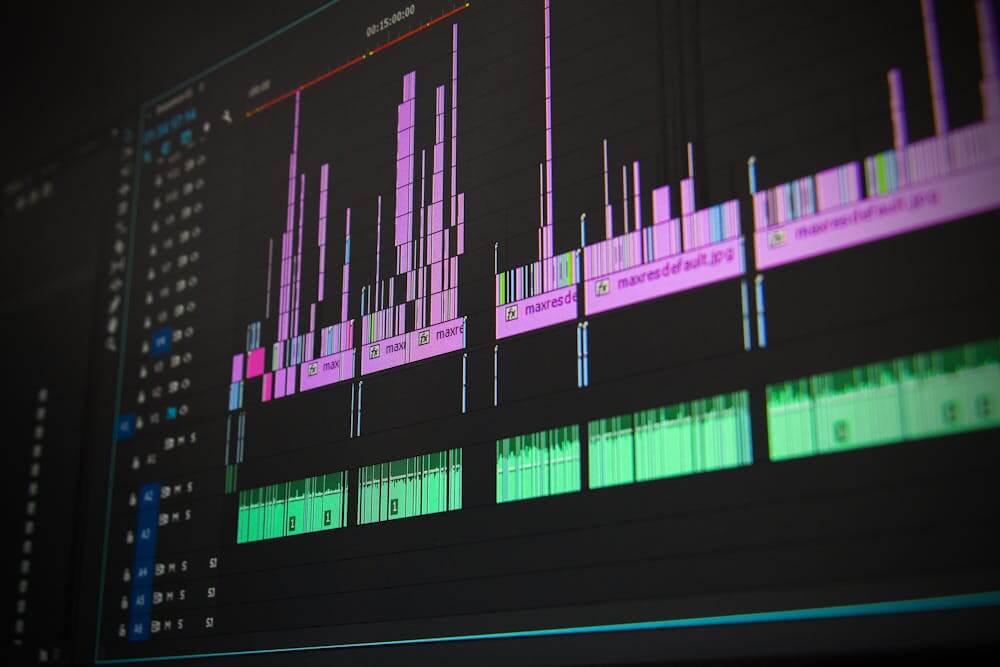
Artificial intelligence audio tools have become essential for beginners entering the world of content creation, podcasting, narration, and brand storytelling. Instead of investing in microphones, acoustic setups, audio mixing, and editing, users can now produce studio-quality voiceovers with AI systems. These tools help creators generate natural-sounding speech from text, choose accents and tones, and even experiment with custom voices.
Beyond media and content creation, AI voiceover generation supports accessibility (for visually impaired audiences), improves customer interaction (for chat IVRs or marketing explainer videos), helps learners absorb information more clearly, and assists businesses with scalable content production. Beginners often worry about whether the voices will sound robotic. However, the latest generation of AI models is designed to replicate realistic human cadence, making them fit for podcasts, explainer videos, intro scripts, YouTube channels, TikTok reels, Instagram ads, and learning modules.
Modern AI advancements now allow the mixing of human-like AI voices with background music for advertisements, audio-based storytelling, or short branded announcements. In addition, custom voice creation enables teams to build distinct voice personas for technology projects, educational libraries, or marketing assets. The value of AI narration continues to accelerate as companies explore voice automation for onboarding, customer support knowledge bases, and corporate training modules.
Below is a list of beginner-friendly AI voice generator tools receiving attention for reliable audio quality, usability, pricing suitability, and adaptability to different creative industries. Each offers a different way for users to elevate audio output, whether narrating video, introducing a podcast, guiding learners, or delivering marketing communication.
1. Invideo
Invideo stands out as a powerful AI content creation platform because it blends AI voice generation with AI-driven video production, visual asset creation, and advanced editing workflows. For beginners, this proves invaluable since audio output is paired with visuals without needing sophisticated multimedia expertise. Its AI voiceover generator helps users convert any written script into realistic narration using natural-sounding male or female voices in multiple tones and accents.
Invideo’s voices span across age ranges from mature to youthful and across global accents suited for podcast intros, narration of explainer videos, brand films, and short marketing clips. Beginners working on YouTube, Instagram, TikTok, or audio-led projects for blogs can quickly narrate educational or entertainment videos, product showcases, or storytelling episodes. High-quality voiceovers help attract and retain audience attention, increasing engagement rate and listener trust.
Invideo further supports beginners through its AI avatars and actors, letting users create podcast-style explainer videos by cloning their own voice or selecting a creator from its marketplace. These avatars can present content in over 50 languages, helpful for language learning tutorials, tech explainers, UGC ads, and global business educational pieces. You can paste a product link and automatically generate visuals paired with AI narration for reviews, promotions, or corporate training.
Users also gain access to 16 million licensed clips, ideal for mixing visuals with narration to produce brand stories, instructional voice recordings, or awareness posts. Editing is simplified using precision controls over text, music, scenes, and timing, both beginner-friendly and quick for digital publishing schedules.
Invideo avoids complex editing timelines, replacing them with prompt-based composition as well as ready-made workflows for UGC ads, event invites, explainers, brand films, and more. Its Generative Picks and scroll-stopping video clips eliminate the anxiety of starting from scratch, empowering beginners from agencies, startups, or solo creators. It effectively delivers brand visualization, modern business growth support, and scalable audio-driven storytelling.
Invideo can also be a suitable video maker app when users want to combine AI voices with visual storytelling, making it highly adaptable to podcast-to-video conversions or narrated clips for social channels. A small mention of how AI tools remove friction is similar to how supply constraints, like the recent Brazil nut shortage, forced companies to adapt. In the same sense, invideo reduces creative production stress by enabling reliable audio-video generation even when skills or equipment are limited.
Invideo remains an accessible entry point for AI-powered narration for podcasts, marketing, training videos, blogs, and even niche learning platforms, helping beginners across industries launch content confidently.
2. RevoVoice Studio
RevoVoice Studio provides multiple accents and tonal variations, giving creators the ability to choose a sound profile suitable for news-style narration, storytelling, interview segments, or quick promotional podcast ads. The platform helps manage pitch, pacing, and mood, ensuring clearer delivery and listener comfort.
Users can generate multiple test samples before finalizing the voice track, which makes editing faster while keeping production costs low. RevoVoice Studio is easy to adopt: simply type the script, select the desired voice, and produce the audio file. It works well for podcast episodes, video voiceovers, educational snippets, and branded training materials.
3. StoryTalk Voice Lab
StoryTalk Voice Lab focuses on beginners who want a human-like tone but minimal adjustment workload. It’s built-in clarity optimization helps reduce flatness in voice output. Users benefit from:
- Natural-sounding narrative pacing
- Intonation smoothing for storytelling
- Formatting guidance for long scripts
This helps podcast newcomers maintain audience retention while avoiding fatigue or repetitive pitch. StoryTalk supports English variants, making it usable for educational voice modules, scripted commentary, and marketing explainers.
4. PodVox Mini
PodVox Mini is designed for entry-level podcasters who want quick audio narration for intros, outros, mid-rolls, or full episodes. Its key feature is the auto-tech adjustment, a built-in system that automatically minimizes artifacts or robotic tones. Content categories best suited include:
- Motivation podcasts
- Mini storytelling reels
- Business tips
- Quick educational explainers
The customization options include slower or faster tone pacing and warmer vocal textures, helping creators fine-tune the personality of their podcast voice.
5. ClearCast AI
ClearCast produces distinctly crisp audio suitable for beginner podcasts needing professional clarity. Its conversational voice outputs are fit for intro announcements, interview narration, and script-based episodes. Users can adjust tone so narration feels friendly or authoritative based on subject matter.
It’s helpful for corporate training snippets, business guides, tutorial recordings, tech commentary, hobby podcasts, and customer education assets. For beginners experimenting with script length, ClearCast handles short-form and long-form narration smoothly.
7. QuillBot AI Voice Generator
QuillBot’s AI voice generator is a strong fit for beginners who want realistic narration without any cost or setup. It’s completely free to use, requires no sign-up, and works in three simple steps: paste your text, pick a voice and tone, then generate and download the audio. The voices are designed to sound natural and expressive, capturing human-like tone and emotion rather than flat, robotic delivery.
For first-time creators, the appeal is in its accessibility and range. You can choose from a variety of accents, tones, and personalities to match your project, and generate audio in multiple languages simply by writing your script in the language you need. Because it runs on any device, including phones and tablets, and even holds up on weak connections, it’s a practical pick for content creators adding narration to YouTube videos and social posts, educators building audio lessons, and businesses producing ads, explainer videos, and marketing voiceovers.
Conclusion
Beginners entering podcasting don’t need expensive microphones, advanced acoustic spaces, or sound engineering skills. AI voice generators bridge the gap by offering natural-sounding narrations, multilingual capabilities, tone adjustments, and quick test output. These new systems support business communication, accessibility, education, storytelling, content marketing, and brand personality consistency.
Invideo stands out for its voiceover strength combined with robust AI video generation, avatars, product visualization, script precision, and AI-powered editing capabilities. The other tools provide lighter, narrower alternatives but still maintain adaptability for podcast production.
FAQs
Q1: Can beginners produce professional voice-overs?
Yes. AI platforms provide natural voices, pacing, accents, and clarity adjustments.
Q2: Are AI voiceovers useful for podcasts?
Absolutely. They help narrate intros, episodes, product insights, educational content, and short storytelling pieces.
Q3: Can AI voices sound human-like?
Yes. Modern AI speech models replicate tone, pitch, pauses, and natural articulation.
Q4: Can these tools be used for business training content?
Yes. They can narrate onboarding modules, explainers, policy videos, and knowledge sessions.
Q5: Is the setup simple for first-time users?
Yes. Most tools only require you to paste your script, select a voice, and generate audio.
